Time clock with scheduling
A time clock with scheduling built in
Build the week once, put the meal break in the shift, and let employees see it on their phones. When the week is worked, the same system shows how far the punches drifted from the plan.
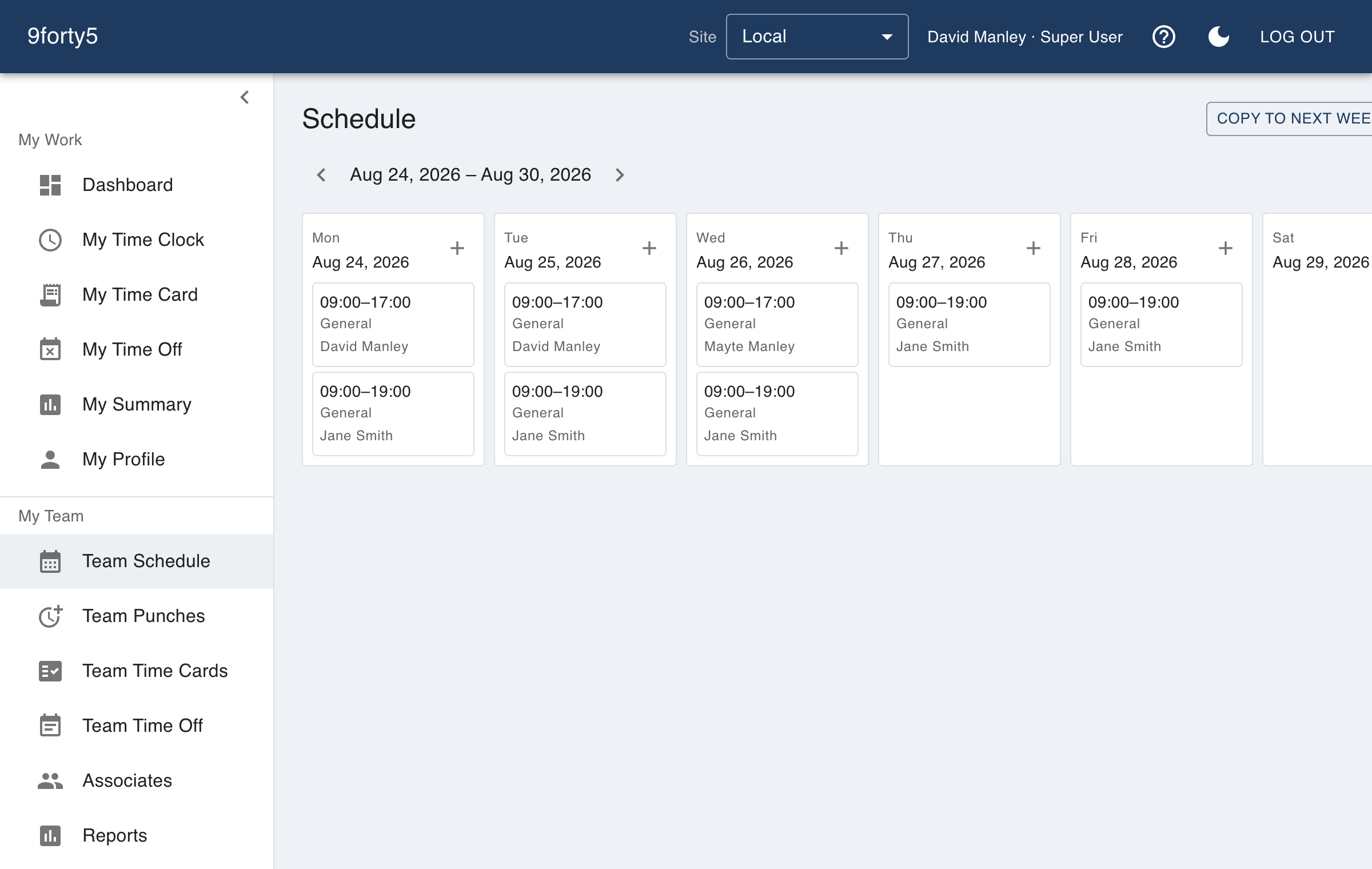
What you get
- Week and month schedule views by employee or department
- Copy last week forward in one click
- Unpaid meal break minutes stored on every shift
- Scheduled paid hours compared with punched hours
- Coverage by hour and a list of unassigned shifts
- Time-off requests that appear on the schedule once approved
Why the schedule and the clock belong together
A schedule on its own is a promise, and a time clock on its own is a record. The useful thing is the comparison: what was planned, what happened, and what the difference cost. When both live in one system, that comparison is a report, not an evening with two exports.
Scheduled hours in 9forty5 are paid hours. A shift from 8 to 5 with an unpaid hour for lunch is eight scheduled hours, so an employee who works exactly that shows no variance rather than an hour of false overage on every row.
Seeing trouble before the week is over
The overtime watchlist combines scheduled and actual hours to show who is heading over the weekly threshold, so you can move a shift while it is still a plan. The coverage view shows the scheduled headcount for each hour by department, which is how you find the empty hour at four o'clock that a total of 40 hours would never show.
What employees see
Employees see their upcoming shifts and any approved time off in the app, next to their time card and the request form. "When am I working this week?" stops being a text to the manager.
Good to know before you start
What it does not do matters as much as what it does.
- It is a scheduling tool for shifts, not an auto-scheduler. It does not generate a schedule from demand forecasts or availability rules.
- The schedule does not stop an employee clocking in outside a shift. It flags the difference so a manager can review it.
- There is no shift-swap marketplace; changes are made by managers.
Free for up to 3 employees, then a flat monthly price by team size from $24. See pricing
Frequently asked
Yes. Each shift stores its unpaid break minutes, and the site's default break is pre-filled on new shifts. Every scheduled-hours figure in the reports means paid hours.
Yes. My Schedule in the iPhone and Android apps and in the web app shows upcoming shifts and approved time off.
Late-arrival alerts are part of the paid premium add-on: managers get a push notification when a scheduled employee has not clocked in after a grace period you set.
The pricing page lists scheduling with the paid plans. The free plan lists the time clock, time cards, time-off requests and basic reports.
The features behind it
Shift scheduling
Build the week in minutes, copy it forward, plan unpaid meal breaks into each shift, and see scheduled versus actual hours by department. Employees see their schedule on their phone.
Time clock
A web and mobile time clock employees use to punch in and out from any device. Accurate timestamps, punch rounding, meal breaks and location capture. Free for up to 3 employees.
Overtime tracking
Track overtime under federal and state rules: weekly after 40, California daily and double time, Alaska, Colorado, Oregon manufacturing and 7th-day premiums. Presets included.
Reports & insights
Hours by employee and department, overtime watchlist, scheduled versus actual variance, site comparison, and pay-period summaries. Built in, no report builder needed.
How different businesses use it
Restaurants
Kitchen and front of house on one clock, meal breaks that are actually punched, split shifts that band correctly, and a schedule the crew sees on their phone.
Retail
One account for every store, coverage by hour so the floor is never empty, and an overtime watchlist that shows who to send home before the premium starts.
Child care & daycare
Teachers and aides clock in at the center, the director sees who is on the floor right now, and the schedule shows coverage hour by hour so the ratio is never a surprise at pickup time.
Salons & spas
A front-desk tablet or a phone as the clock, a schedule the team can see, and time-off requests that do not live in a group chat.
Time and attendance software · Time clock app · Small business time clock
Try it free for 14 days. Flat monthly pricing after that.
No credit card, no per-seat surprises, no contract. Set up a site, add your team and take the first punch in under ten minutes. Teams of up to 3 can stay on the free plan for good.