Time and attendance software
Time and attendance software for businesses of 1 to 100
Who worked, when, for how long, and what they are owed. 9forty5 covers the whole chain in one product: the punch, the time card, the approval, the schedule, time off and the payroll file.
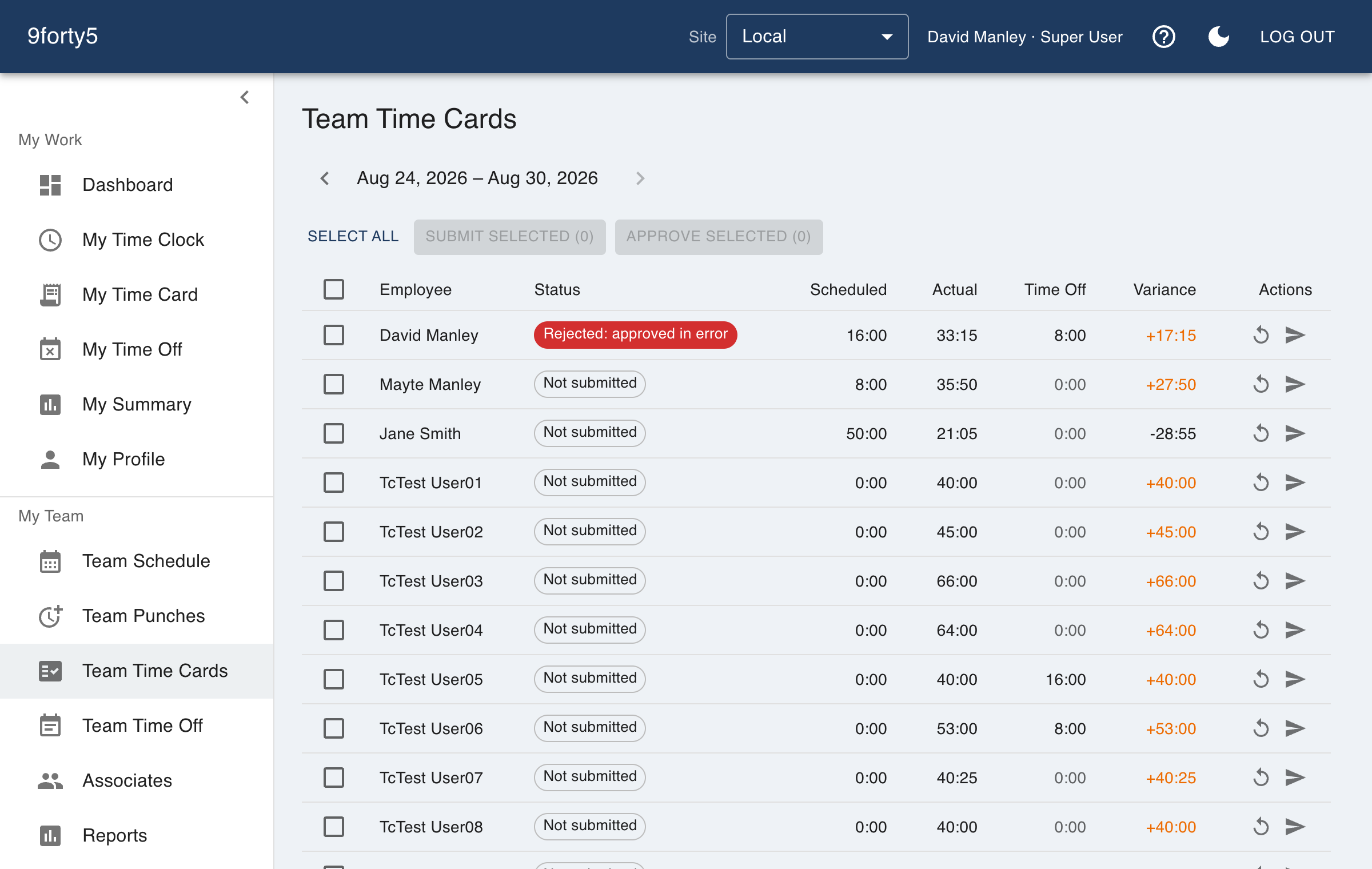
What you get
- Time clock on phone and browser, with department and optional GPS
- Time cards that band regular, overtime and double time as the day is worked
- Manager review and approvals that lock the pay period
- Scheduling with meal breaks, coverage and scheduled-versus-actual variance
- Time off requests, accrual policies and company holidays
- Payroll export for Gusto, QuickBooks, ADP, Paychex, Rippling and OnPay
Attendance is more than punches
Time tracking records hours. Attendance asks the next questions: was the person scheduled, did they arrive when expected, is anyone absent, and who is about to go into overtime. 9forty5 keeps the schedule, the punches and the leave in the same place, so the answers come from one set of records instead of three spreadsheets.
The scheduled-versus-actual report shows where a week drifted from the plan, the coverage view shows the headcount by hour, and the overtime watchlist shows who is on track to cross the weekly threshold before it happens.
Rules that follow the state, per site
Overtime, meal breaks and pay periods are site settings, so a company with a location in Texas and one in California runs both correctly from one account. There are overtime presets for California, Alaska, Colorado and Oregon manufacturing, and California meal and rest premium handling for sites that turn it on.
The state labor law library on this site summarises each state's overtime, break and pay-frequency rules, so the setting you choose has something to check it against.
Priced by team size, not by feature
Every paid plan has the same product. The flat monthly price scales with the number of employees: $24 for up to 5, $49 for up to 15, $99 for up to 25, $179 for up to 50 and $299 for up to 100. Compliance features are never held back for a higher tier.
Good to know before you start
What it does not do matters as much as what it does.
- This is time and attendance, not a full HR or payroll system. 9forty5 produces approved hours and an import-ready file; your payroll provider still runs payroll.
- Payroll export is a file you download and import, not a live connection to the provider.
- Hours are tracked by site and department. There is no project, job-code or client billing tracking.
Free for up to 3 employees, then a flat monthly price by team size from $24. See pricing
Frequently asked
No. It supplies approved, overtime-banded hours to your payroll provider as an import-ready file. You keep running payroll in Gusto, QuickBooks, ADP, Paychex, Rippling or OnPay.
Self-serve plans cover up to 100 employees across any number of sites. Above 100, pricing is custom from $449 a month.
Yes. Managers see the sites they are assigned to, and General Managers see the whole company. Employees see only their own time card, schedule and time off.
Most teams add their employees, set the pay period and rules, and have the first punches the same day. The free plan and the 14-day trial need no card, so you can set it up before deciding.
The features behind it
Time cards & approvals
Digital time cards that calculate regular, overtime and double-time hours as punches happen. Review, edit and approve by employee, team or pay period, then export to payroll.
Shift scheduling
Build the week in minutes, copy it forward, plan unpaid meal breaks into each shift, and see scheduled versus actual hours by department. Employees see their schedule on their phone.
Overtime tracking
Track overtime under federal and state rules: weekly after 40, California daily and double time, Alaska, Colorado, Oregon manufacturing and 7th-day premiums. Presets included.
Time off & leave
Employees request PTO, sick time and other leave from their phone; managers approve, and the hours land on the time card and the schedule automatically. Company holidays included.
How different businesses use it
Manufacturing
Shifts by line and department, meal breaks that are punched, overtime rules that follow the plant's state, and a supervisor approval that locks the period for payroll.
Retail
One account for every store, coverage by hour so the floor is never empty, and an overtime watchlist that shows who to send home before the premium starts.
Medical & dental offices
Front desk, assistants and hygienists clock in; the dentist or physician who owns the practice does not need to. The schedule shows coverage, and time off lands on the calendar.
Property management
Maintenance techs punch at the building they are working in, leasing staff clock in at the office, and the owner sees hours by property.
Employee time tracking software · Time clock with scheduling · Small business time clock
Try it free for 14 days. Flat monthly pricing after that.
No credit card, no per-seat surprises, no contract. Set up a site, add your team and take the first punch in under ten minutes. Teams of up to 3 can stay on the free plan for good.