Feature
Employee shift scheduling with built-in meal breaks
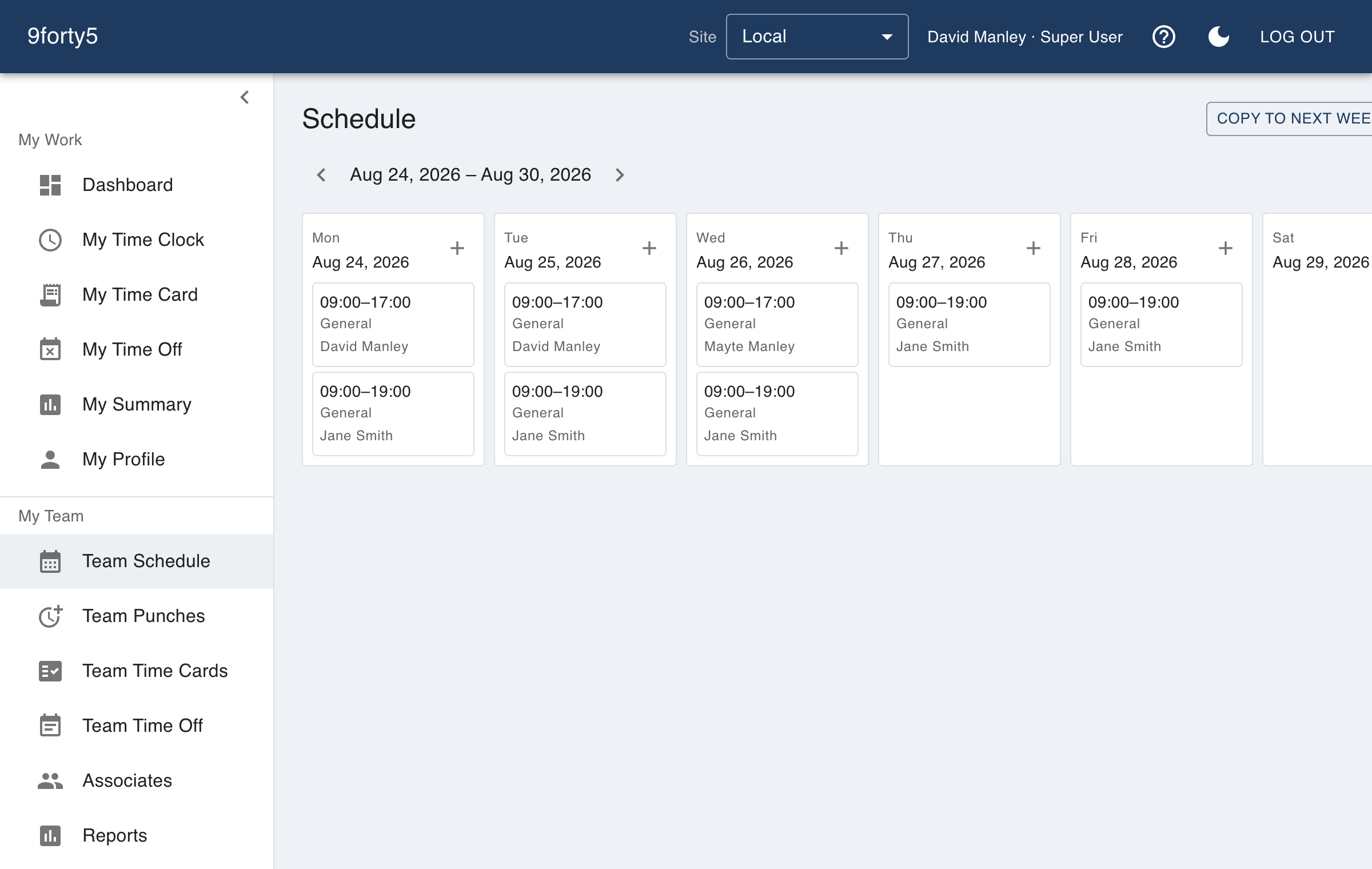
Drag a week together, copy it to the next, and put the meal break in the shift so scheduled hours mean paid hours. Then watch the variance report tell you where the week drifted from the plan.
What you get
- Week and month views by employee or department
- Copy a week forward in one click
- Unpaid meal break minutes stored on each shift
- Scheduled versus actual hours, by employee and department
- Unassigned and uncovered shifts called out
- Employees see their own schedule on the web and the iPhone app
Scheduled hours that mean paid hours
Every shift carries its unpaid break minutes, and every scheduled figure in the reports is the paid figure. Someone rostered 8 to 5 with an hour for lunch is scheduled for 8 paid hours, and when they punch exactly that the variance is zero, not an hour negative on every row of every period.
The site sets a default break and the shift length that triggers it, so the form is pre-filled and a manager only changes what is unusual.
Coverage and variance, not just a calendar
The coverage view shows each department's scheduled headcount by hour, unassigned shifts are listed so nothing is open by accident, and the scheduled-versus-actual report compares the plan to punches once the week is worked. That is where a manager sees which department is consistently over, and by how much.
On the phone that is already in their pocket
Employees see their upcoming shifts in the iPhone app and the web app beside their time card and time-off requests, so "when am I working" stops being a text message to the manager.
Frequently asked
Yes. My Schedule in the iPhone app and the web app shows upcoming shifts and any approved time off.
Yes. Each shift stores its unpaid break minutes, so scheduled hours and reports mean paid hours, and the site's default break is pre-filled on new shifts.
Yes. The scheduled versus actual report shows the difference per employee and per department for any pay period.
Goes with
Time clock
A web and mobile time clock employees use to punch in and out from any device. Accurate timestamps, punch rounding, meal breaks and location capture. Free for up to 3 employees.
Overtime tracking
Track overtime under federal and state rules: weekly after 40, California daily and double time, Alaska, Colorado, Oregon manufacturing and 7th-day premiums. Presets included.
Time off & leave
Employees request PTO, sick time and other leave from their phone; managers approve, and the hours land on the time card and the schedule automatically. Company holidays included.
Try it free for 14 days. Flat monthly pricing after that.
No credit card, no per-seat surprises, no contract. Set up a site, add your team and take the first punch in under ten minutes. Teams of up to 3 can stay on the free plan for good.