Feature
Time off tracking and leave requests
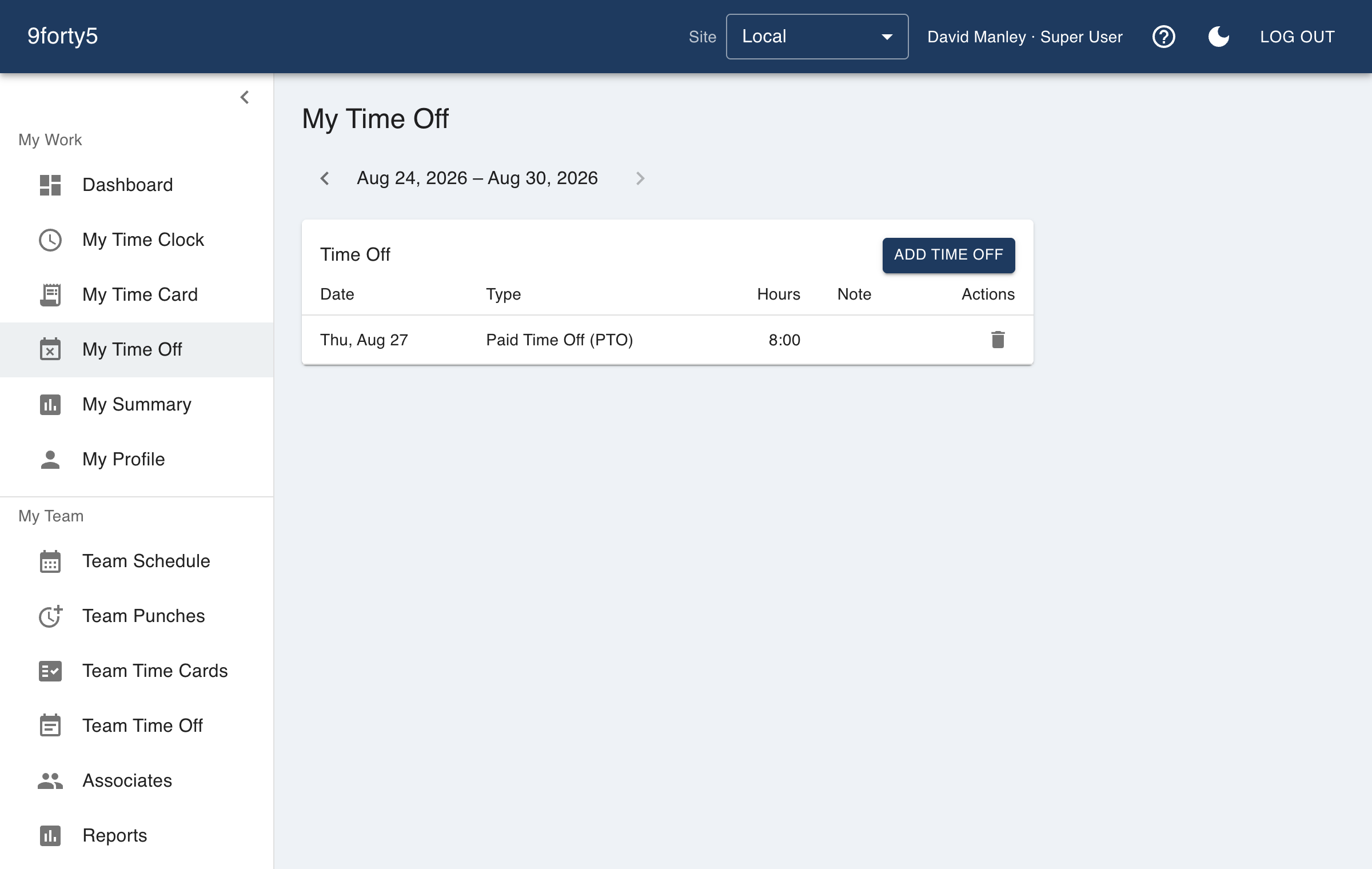
A request from the employee, an approval from the manager, and the hours show up on the time card, the calendar and the payroll file without anyone typing them twice.
What you get
- PTO, sick, vacation and custom leave types, paid or unpaid
- Requests from the web app or the iPhone app
- Manager approval with one tap; the team calendar updates
- Approved leave appears on the time card as its own paid line
- Company holidays, paid or unpaid, set once for every site
- Holiday-worked premium for the people who cover the day
Leave is a time card line, not a separate system
Approved time off is written to the time card as a whole-day or part-day entry of its own type, so the payroll export carries PTO hours in their own column and the overtime calculation knows those hours were not worked. There is nothing to reconcile at the end of the period.
Company holidays, set once
The general manager keeps a holiday calendar for the company, loading the federal holidays for a year in one click or adding the company's own. A paid holiday puts a paid day on every active employee's card; anyone who works the day earns the holiday premium the company sets. Holidays inside an approved pay period are refused rather than silently restating what was paid.
Frequently asked
Yes. It appears as its own line with its hours, and goes to payroll in its own column.
Yes. Set the holiday-worked rate for the company and hours that start on a listed holiday are paid at it, on top of any overtime rule.
Yes. Time off policies accrue per hour worked, per pay period or up front each year, with caps, carryover, tenure tiers and a California paid sick leave preset. Employees see their balance on the request form, and a request that does not fit is refused with the reason.
Goes with
Time cards & approvals
Digital time cards that calculate regular, overtime and double-time hours as punches happen. Review, edit and approve by employee, team or pay period, then export to payroll.
Shift scheduling
Build the week in minutes, copy it forward, plan unpaid meal breaks into each shift, and see scheduled versus actual hours by department. Employees see their schedule on their phone.
Mobile app
Employees clock in and out, check their time card, request time off and see their schedule from the 9forty5 iPhone app, with GPS punch location and passkey sign-in.
Try it free for 14 days. Flat monthly pricing after that.
No credit card, no per-seat surprises, no contract. Set up a site, add your team and take the first punch in under ten minutes. Teams of up to 3 can stay on the free plan for good.