Feature
Online employee time clock for hourly teams
Employees clock in from a phone, a tablet at the door or any browser. Every punch is timestamped by the server, tagged with a department, and lands on a time card the moment it happens.
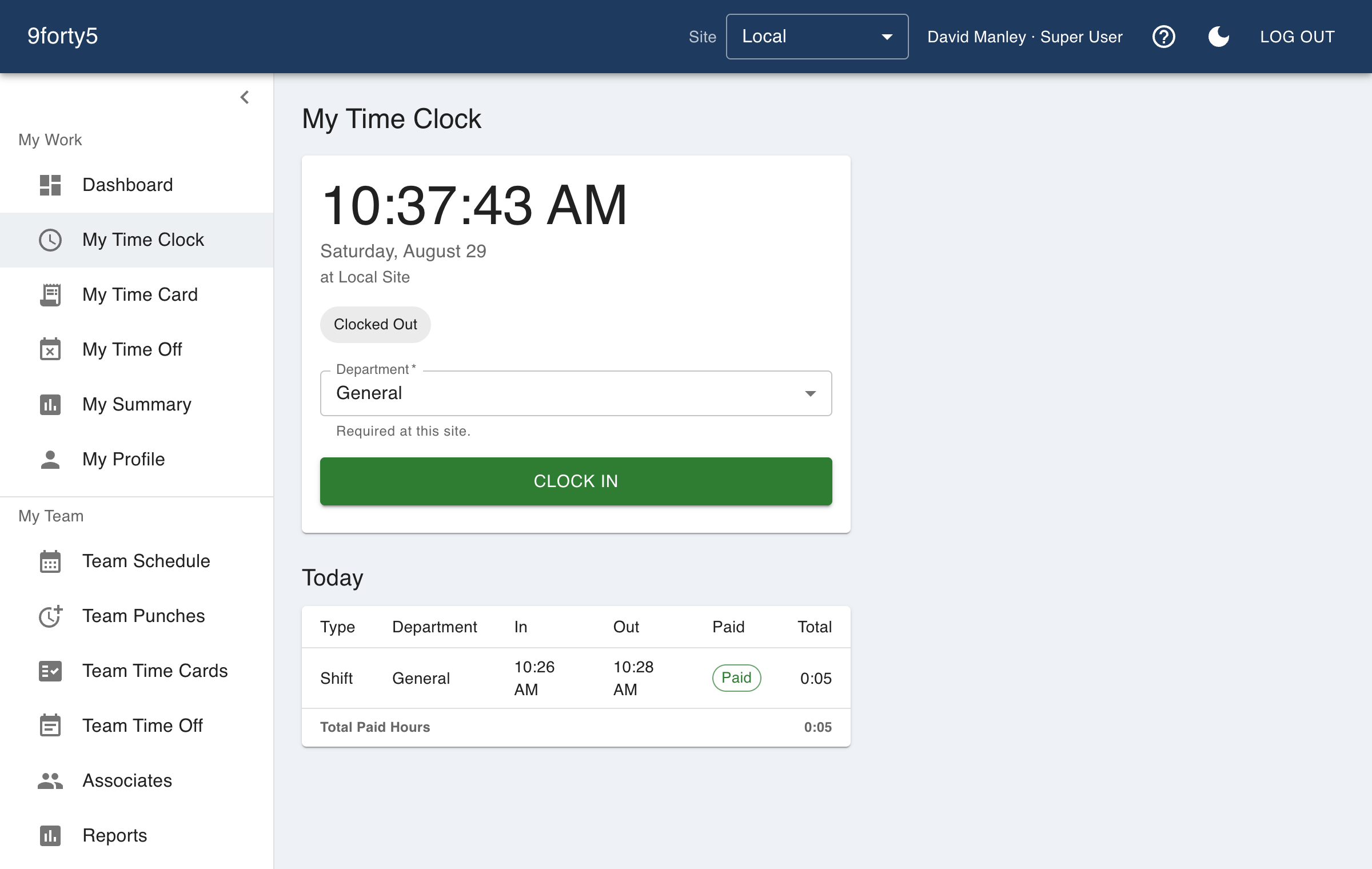
What you get
- Clock in and out from any browser or the iPhone app
- Shift, meal break and rest break punches, paid or unpaid as your policy says
- Punch rounding to the nearest 5, 6, 10 or 15 minutes, or exact to the minute
- Department selection at punch time for labor allocation
- Optional GPS capture and geofencing per site
- Manager view of who is clocked in right now
A time clock that lives where your people already are
Most hourly teams do not want another device to maintain. 9forty5 runs in the browser on whatever is already at the site, and on the employee's own phone through the iPhone app, so a restaurant can put a tablet by the kitchen door while a home-health aide clocks in from the client's driveway.
Punches are recorded by the server, not the device, so a phone with the wrong time zone or a tablet that lost power does not change what an employee is paid. Each punch also records which department the employee is working in, which is how the reports later split labor by kitchen versus front of house, or by crew.
Meal breaks and rest breaks that follow your state's rules
A meal break is a punch pair of its own, unpaid by default, and a rest break is a paid one. Because breaks are punched rather than assumed, the time card shows what actually happened, and states that require a break after a set number of hours (California, Washington, Oregon, Colorado and others) can be checked against real data instead of a policy nobody measured.
Site settings hold the rounding rule, the maximum shift length and the break defaults, so a company with a warehouse in one state and an office in another can give each site its own rules.
Debounced, tamper-resistant, and visible to managers
A double tap does not create two punches, a shift that runs past the site's maximum shift length stands out for a manager to correct, and every edit to a punch is recorded with who made it. Managers see the team's punches in one list, with anything outside the geofence or outside the schedule marked for review.
Frequently asked
Yes. Punch rounding is a site setting with 5, 6, 10 and 15 minute options, applied to the nearest interval in both directions as federal rules require, or turned off for to-the-minute pay.
Yes. 9forty5 is free for teams of up to 3 employees at a single site, with no credit card and no time limit. Paid plans are a flat monthly price by team size.
The open punch shows on the manager's team punches list and the time card, and the site's maximum shift length marks anything implausibly long. The manager adds the missing punch, and the correction is recorded with who made it and when.
Goes with
Time cards & approvals
Digital time cards that calculate regular, overtime and double-time hours as punches happen. Review, edit and approve by employee, team or pay period, then export to payroll.
Location-based clock-in
Record where every punch happens, flag punches outside your site, or require employees to be on site to clock in. Per-site geofence radius, drawn on a map.
Mobile app
Employees clock in and out, check their time card, request time off and see their schedule from the 9forty5 iPhone app, with GPS punch location and passkey sign-in.
Try it free for 14 days. Flat monthly pricing after that.
No credit card, no per-seat surprises, no contract. Set up a site, add your team and take the first punch in under ten minutes. Teams of up to 3 can stay on the free plan for good.