Employee time tracking software
Employee time tracking software that gets the hours right
Accurate hours are the point, and accuracy is mostly about edge cases: missed punches, double taps, shifts across midnight, edits after the fact. 9forty5 is built around those, and keeps a record of every one.
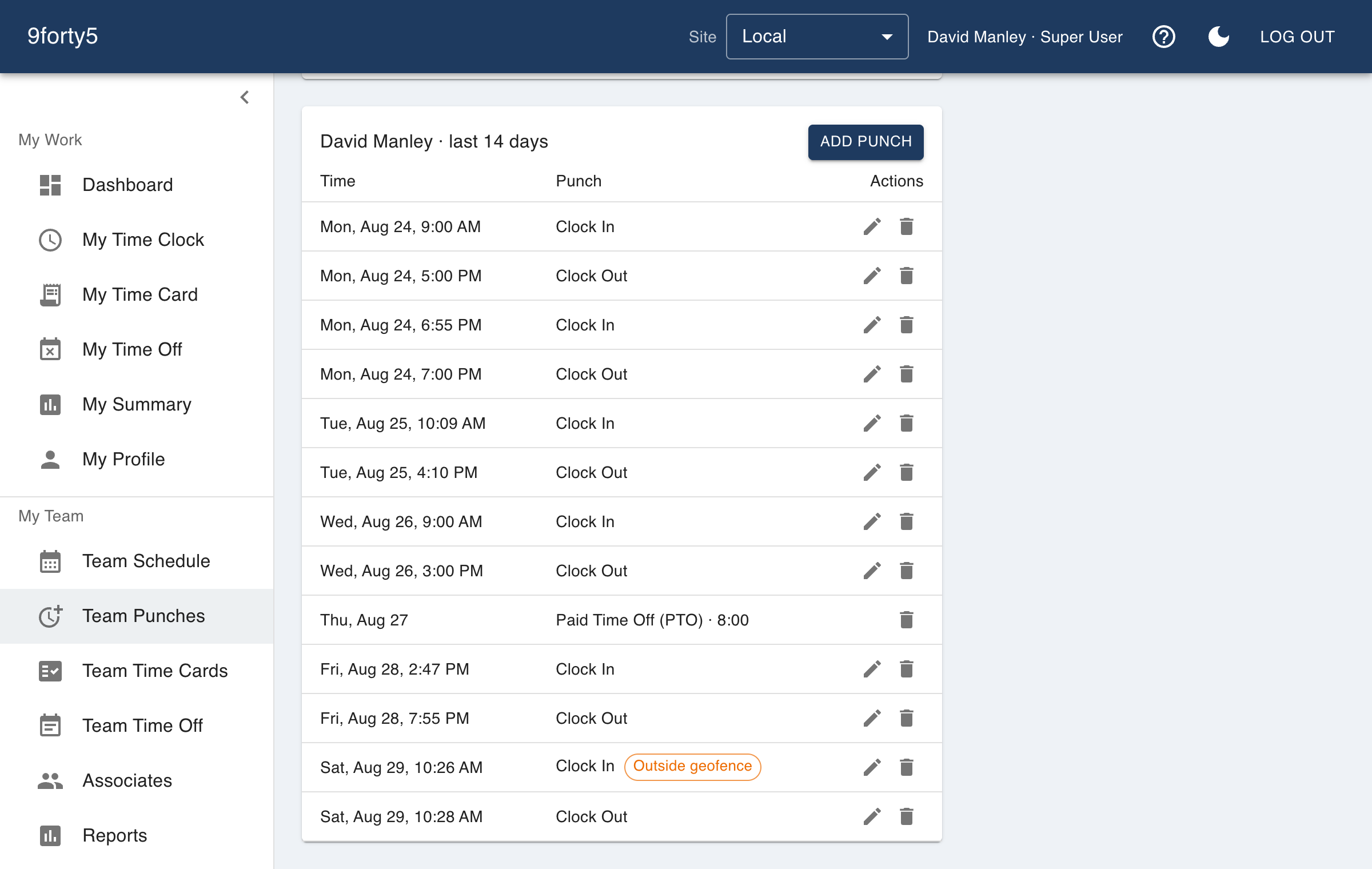
What you get
- Server-timestamped punches that a device clock cannot change
- Every edit recorded: who changed what, and when
- Hours by employee, department and site for any period
- Missed and unusually long punches surfaced for review
- Overtime watchlist for the current week
- Punch rounding to 5, 6, 10 or 15 minutes, or exact to the minute
Hours you can defend
When an employee disputes a paycheck, or an investigator asks how a number was reached, the useful answer is a trail. Each punch records its time, site, department and, when enabled, location. Each manager edit is recorded with the name of whoever made it, so there is a trail from the punch to the correction.
Approving a pay period locks it. A later change to a holiday or a pay rule cannot quietly restate hours payroll has already paid; reopening is deliberate, and it is logged.
Spotting problems while they are cheap to fix
The Punch Exceptions report lists open punches and shifts long enough to look like a missed clock-out. Punches outside a geofence are flagged. The overtime watchlist uses scheduled plus actual hours to show who will cross 40 hours before the week ends, so a manager can move a shift rather than pay a premium for it.
Where the hours went
Because each punch carries a department, the reports can split hours and labor by kitchen versus front of house, by crew, by clinic or by shift, without a second system. Multi-site companies can compare sites side by side.
Good to know before you start
What it does not do matters as much as what it does.
- Time is tracked against sites and departments. It does not track time against projects, tasks or client invoices.
- Location is captured at the moment of a punch only. 9forty5 does not track anyone between punches.
- Employees can be set to not keep a time card at all, for owners and salaried managers who are paid outside the time clock.
Free for up to 3 employees, then a flat monthly price by team size from $24. See pricing
Frequently asked
Each person signs in to their own account, and passkey sign-in ties the punch to their phone and their face or fingerprint. Geofencing and recorded punch location add a second check. There is no shared PIN to lend out.
Not by project or job code. You can track by site and department, which suits crews, kitchens and clinics. If you need client billing by task, a project time tracker is a better fit.
Yes. Turn off Keeps a time card for owners or salaried staff and an empty card is not expected of them. If they do punch, their time is counted like anyone else's.
Punches, time cards and edits are kept with your account. Check your state's record retention rules for how long you must keep them, and export what you need to hold separately.
The features behind it
Time clock
A web and mobile time clock employees use to punch in and out from any device. Accurate timestamps, punch rounding, meal breaks and location capture. Free for up to 3 employees.
Time cards & approvals
Digital time cards that calculate regular, overtime and double-time hours as punches happen. Review, edit and approve by employee, team or pay period, then export to payroll.
Reports & insights
Hours by employee and department, overtime watchlist, scheduled versus actual variance, site comparison, and pay-period summaries. Built in, no report builder needed.
Overtime tracking
Track overtime under federal and state rules: weekly after 40, California daily and double time, Alaska, Colorado, Oregon manufacturing and 7th-day premiums. Presets included.
How different businesses use it
Restaurants
Kitchen and front of house on one clock, meal breaks that are actually punched, split shifts that band correctly, and a schedule the crew sees on their phone.
Manufacturing
Shifts by line and department, meal breaks that are punched, overtime rules that follow the plant's state, and a supervisor approval that locks the period for payroll.
Logistics & delivery
Drivers clock in from the yard, warehouse staff from the dock, and the dispatcher sees who is on the clock right now. Overtime is watched before it happens.
Nonprofits
Hours by program, time off that matches the staff handbook, and a flat price a budget can plan around. Volunteers are not employees, so they do not count and do not need an account.
Time and attendance software · Online timesheet software · Time clock app
Try it free for 14 days. Flat monthly pricing after that.
No credit card, no per-seat surprises, no contract. Set up a site, add your team and take the first punch in under ten minutes. Teams of up to 3 can stay on the free plan for good.