Time clock app
A time clock app your whole team can use from their phone
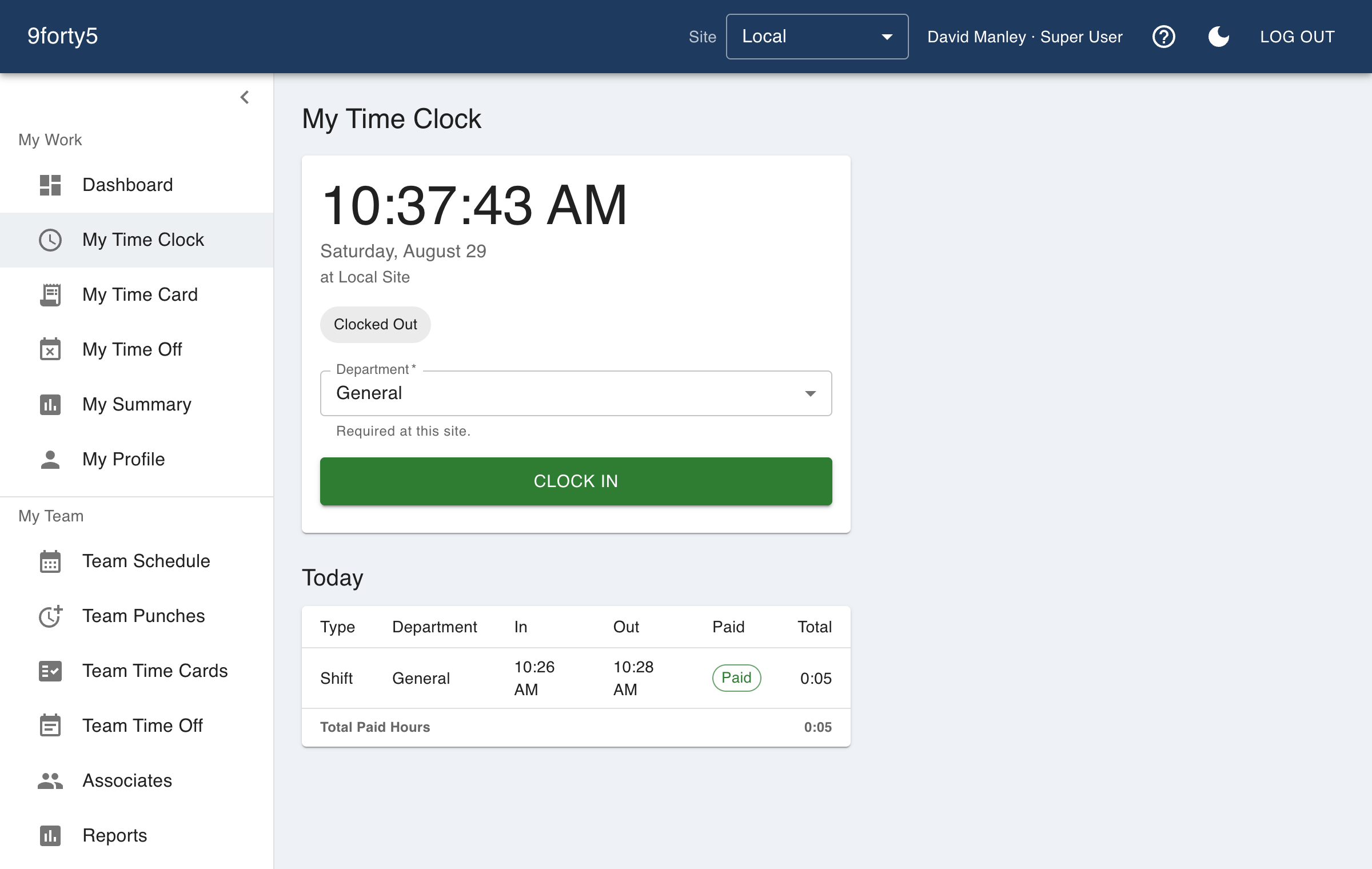
Employees tap Clock In on their phone or at any browser, and the punch lands on a time card that already knows your overtime rules. No hardware to buy, nothing to install on a shared computer.
What you get
- One big button: clock in, clock out, start a break, end a break
- iPhone and Android apps, plus any phone or computer browser
- The server timestamps every punch, so a wrong phone clock changes nothing
- Pick a department when you punch, so labor splits without a spreadsheet
- Optional GPS location and geofencing per site
- Sign in with Face ID or a fingerprint through a passkey, no password to forget
What a time clock app should actually do
The punch is the easy part. What matters is what happens to it afterwards: whether a double tap makes two punches, whether a meal break comes out of the right hours, whether a shift that crosses midnight is paid as one shift, and whether the manager can see a missed clock-out before payroll does. 9forty5 handles those cases in the app itself, so the time card is right when you open it rather than after you have fixed it.
Each punch is a record: who, when (by the server's clock), which site, which department, and where, if the site asks for location. Every edit a manager makes afterwards is recorded with who made it.
Phone, tablet or desktop
Most hourly teams already carry the device they need. Employees use the iPhone or Android app, or open the web app in a phone browser. At a front desk or a shop counter, a tablet or computer works the same way: each person signs in to their own account, punches, and signs out.
Managers see who is clocked in right now, review punches in one list, and approve the pay period from the same web app.
From punch to payroll file
Punches become time cards, time cards are approved by the period, and an approved period exports as a file in the layout your payroll provider imports: Gusto, QuickBooks Payroll, ADP RUN, Paychex, Rippling, OnPay or a generic CSV. Regular, overtime and double time go out as separate columns.
Good to know before you start
What it does not do matters as much as what it does.
- There is no shared-kiosk mode with a PIN. Each person signs in to their own account, which is why phones work best.
- When someone could not punch, a manager can add the punch by hand and the correction is logged.
- Clock-in does not use facial recognition or fingerprint scanners. Face ID and Touch ID are only used to sign in to the app on the person's own phone.
Free for up to 3 employees, then a flat monthly price by team size from $24. See pricing
Frequently asked
No. The iPhone and Android apps are the smoothest way to punch, but the web app works in any phone or computer browser, so someone can start punching today without installing anything.
You can, with limits. There is no PIN kiosk mode, so each employee signs in to their own account on the tablet, punches, and signs out. For a crew of a few people at one door that is workable; for a large shift change, phones are faster.
You can stop it. Turn on geofencing for the site and choose whether an outside punch is flagged for review or refused. The punch also records its location, so a manager can see where it came from.
It shows on the Punch Exceptions report and the manager's punch list as an open punch. The manager adds the missing punch, and the correction is logged with who made it. A site can also set a maximum shift length so a forgotten clock-out stops accruing hours.
The features behind it
Time clock
A web and mobile time clock employees use to punch in and out from any device. Accurate timestamps, punch rounding, meal breaks and location capture. Free for up to 3 employees.
Mobile app
Employees clock in and out, check their time card, request time off and see their schedule from the 9forty5 iPhone app, with GPS punch location and passkey sign-in.
Location-based clock-in
Record where every punch happens, flag punches outside your site, or require employees to be on site to clock in. Per-site geofence radius, drawn on a map.
Payroll export
Export an approved pay period as an import-ready file for Gusto, QuickBooks Payroll, ADP RUN, Paychex, Rippling, OnPay or a generic CSV, with regular, overtime, double time and PTO split out.
How different businesses use it
Restaurants
Kitchen and front of house on one clock, meal breaks that are actually punched, split shifts that band correctly, and a schedule the crew sees on their phone.
Retail
One account for every store, coverage by hour so the floor is never empty, and an overtime watchlist that shows who to send home before the premium starts.
Cleaning & facility services
Crews punch at each customer building from their phone, the office sees the building was actually visited, and hours by site tell you which contracts are profitable.
Salons & spas
A front-desk tablet or a phone as the clock, a schedule the team can see, and time-off requests that do not live in a group chat.
Free time clock · Small business time clock · GPS time clock app
Try it free for 14 days. Flat monthly pricing after that.
No credit card, no per-seat surprises, no contract. Set up a site, add your team and take the first punch in under ten minutes. Teams of up to 3 can stay on the free plan for good.