Free time clock
A free employee time clock that stays free
Teams of up to three get the real thing for free: a time clock, time cards that calculate overtime, and time-off requests. No card to start, no trial that ends, no feature that disappears on day 15.
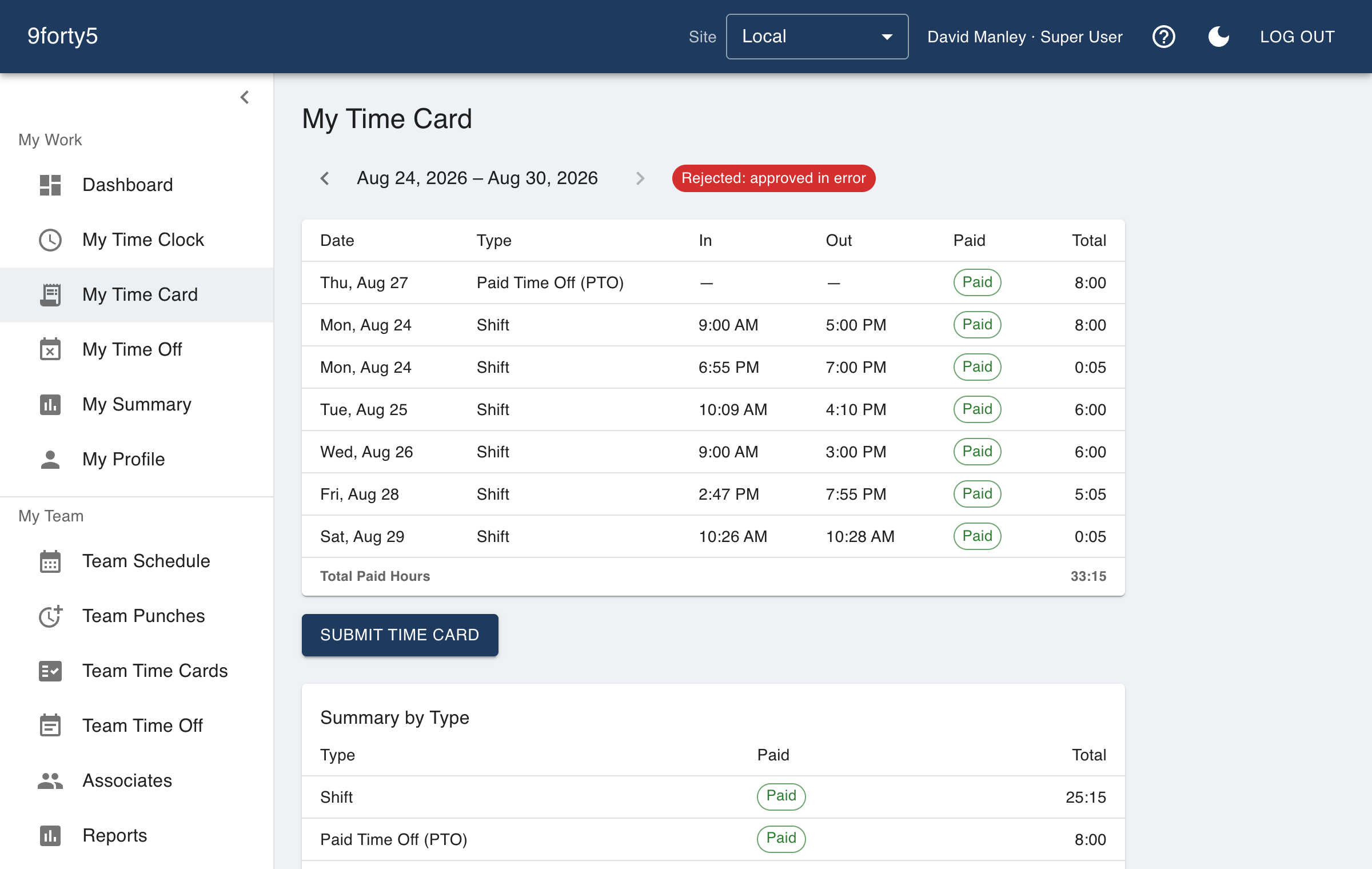
What you get
- Up to 3 active employees at one site
- Up to 3 departments
- Time clock, time cards and time-off requests
- Overtime calculated on every time card
- Basic reports
- Never expires and never asks for a credit card
What free means here
The free plan is a plan, not a trial. It does not expire and it does not lock your data when a timer runs out. The limit is size: three active employees, one site and three departments. A General Manager or Super User does not count toward the three, so the owner who runs the account is not using up one of the slots.
Within those limits you are not given a cut-down product. The same punch handling, overtime rules, meal-break punches and time cards that paying customers get are the ones you use, because a small business has the same wage-and-hour obligations as a large one.
Where the free plan stops
The fourth employee, the second site or the fourth department is the point where you choose a paid plan. The app tells you plainly when you reach a limit instead of failing quietly, and nothing is deleted or locked.
The pricing page lists what each plan includes: payroll export, scheduling and the overtime compliance presets appear with the paid plans, and the AI add-on is a separate paid option. Paid plans are a flat monthly price by team size, from $24 a month for up to 5 employees, and start with a 14-day trial that does not ask for a card.
Why a free tier makes sense for a time clock
A time clock is something a business runs for years, and it is hard to switch once your records are in it. Offering the small end for free lets a tiny team start properly on day one, with the habits and the records in the right place, so growing into a paid plan is a billing change and not a migration.
Good to know before you start
What it does not do matters as much as what it does.
- The free plan is capped at 3 active employees, 1 site and 3 departments. Inactive employees do not count.
- The pricing page lists payroll export, scheduling and the state overtime presets with the paid plans. Check it for exactly what each plan includes.
- The AI daily brief and ask-your-data questions are a separate paid add-on.
Free for up to 3 employees, then a flat monthly price by team size from $24. See pricing
Frequently asked
Up to 3 active employees, one site and up to 3 departments. If you reach a limit you are told which one and what to do; nothing is deleted.
Time cards calculate weekly overtime after 40 hours. The daily overtime presets for states like California, Alaska and Colorado are listed with the paid plans on the pricing page.
Yes. Upgrading is a plan change on the same account, so your punches, time cards and employees stay exactly where they are.
Yes. The iPhone and Android apps and the web app are included. The limit is on the size of the team, not on where they punch from.
The features behind it
Time clock
A web and mobile time clock employees use to punch in and out from any device. Accurate timestamps, punch rounding, meal breaks and location capture. Free for up to 3 employees.
Time cards & approvals
Digital time cards that calculate regular, overtime and double-time hours as punches happen. Review, edit and approve by employee, team or pay period, then export to payroll.
Time off & leave
Employees request PTO, sick time and other leave from their phone; managers approve, and the hours land on the time card and the schedule automatically. Company holidays included.
Overtime tracking
Track overtime under federal and state rules: weekly after 40, California daily and double time, Alaska, Colorado, Oregon manufacturing and 7th-day premiums. Presets included.
How different businesses use it
Salons & spas
A front-desk tablet or a phone as the clock, a schedule the team can see, and time-off requests that do not live in a group chat.
Restaurants
Kitchen and front of house on one clock, meal breaks that are actually punched, split shifts that band correctly, and a schedule the crew sees on their phone.
Retail
One account for every store, coverage by hour so the floor is never empty, and an overtime watchlist that shows who to send home before the premium starts.
Landscaping & lawn care
Crews clock in from the yard or the first property, the office sees where each punch happened, and hours by crew and by site show which accounts are running over what you bid.
Time clock app · Small business time clock · Online timesheet software
Try it free for 14 days. Flat monthly pricing after that.
No credit card, no per-seat surprises, no contract. Set up a site, add your team and take the first punch in under ten minutes. Teams of up to 3 can stay on the free plan for good.