Clocking in and out
The time clock, breaks, department switches, and what to do when a punch is wrong.
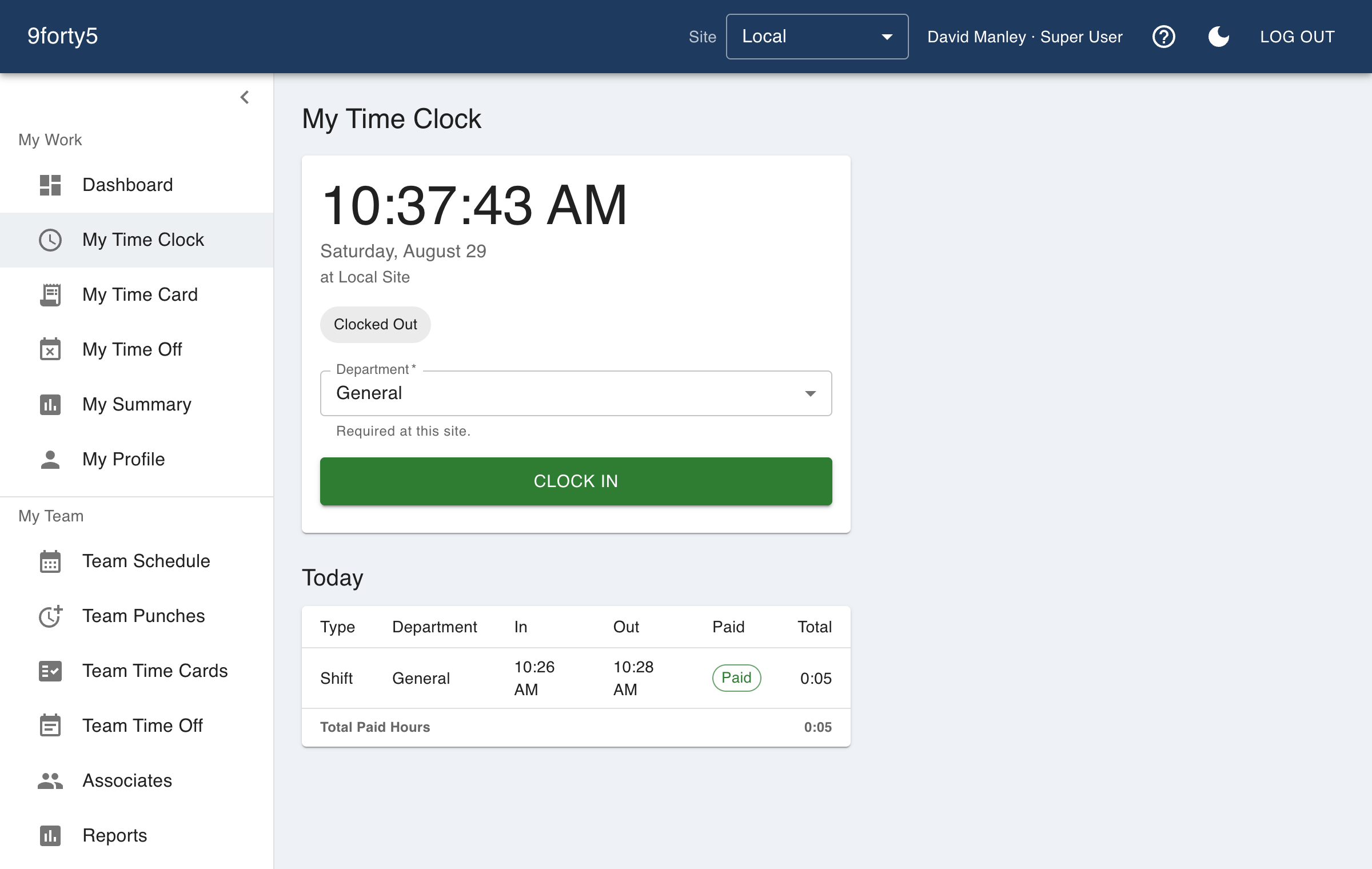
My Time Clock is where the day starts and ends. Clock in when you begin and clock out when you leave. The punches recorded here are what your time card is built from.
Breaks
While clocked in, you can start a meal break or a rest break and end it with a single button. Whether a break is paid follows your site's rules. Meal breaks are typically unpaid, and rest breaks are typically paid.
Departments
If your site tracks departments, pick one when clocking in. Some sites require it. You can also switch departments in the middle of a shift without clocking out, and your hours split between the two.
Location
Some sites check that clock-ins happen at the site. If yours does, your browser will ask for permission to share your location when you punch. Depending on the site's setting, a punch from somewhere else is either recorded and flagged for your manager to review, or it is not accepted until you are on site.
Made a mistake?
Punches cannot be edited from the time clock. That is deliberate, because they are the record your pay is built from. Tell your manager instead. They can correct or remove a bad punch from Team Punches, and the change is logged. Managers correcting their own punches can jump straight there from the Fix a punch button on My Time Card.